Baby Passport Photo Maker
Make a US passport photo for a baby or toddler from a photo you take at home. We size and center the head to the 2 × 2 inch rule and keep your plain white background. Preview free; the HD download costs 200 credits.
- 200 credits
- Free preview, no sign-up
- Pay only to download
- Size
- 2 × 2 in · 600 × 600 px
- Head
- 50–69% of the height, chin to top of head, hair not counted
- Background
- Your own plain white wall (not replaced)
- File
- JPEG, at least 54 KB
This document keeps your own background: we only crop and size the photo, because the official rules don't accept a replaced background. Stand in front of a plain white or light-colored wall, with no shadows behind you.
Face detection and the preview run in your browser. Your photo is only uploaded when you export.
Preview and photo check are free. The HD download costs 200 credits.
Made to the official rules we checked on 2026-10-08. Final acceptance is up to the issuing authority. Official requirements
 Phone photo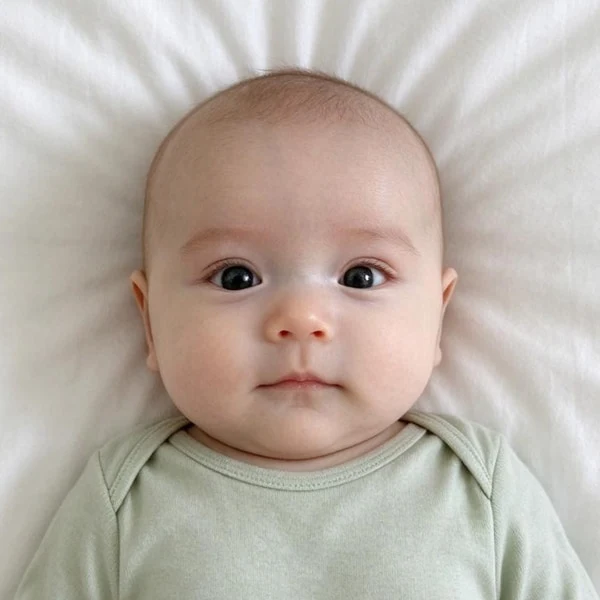
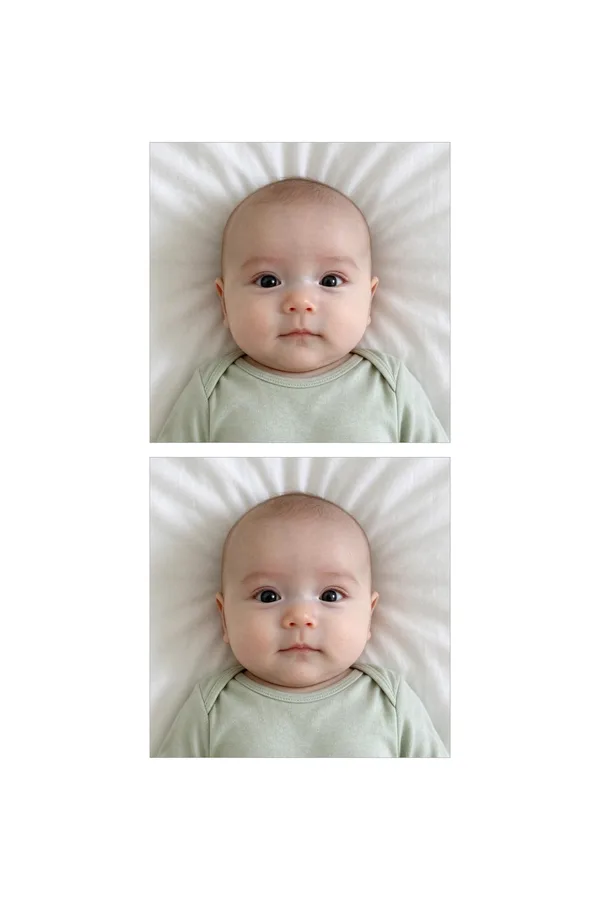
Real example: an everyday phone photo, framed and exported by this tool. Add yours to see your free preview.
US passport (baby) photo requirements
The tool frames and exports your photo to these rules. They come from the official page linked below.
- Size
- 2 × 2 in
- Digital file
- 600 × 600 px (300 dpi of the print size) · JPEG, at least 54 KB
- Head
- 50–69% of the height, chin to top of head, hair not counted
- Background
- Your own plain white wall (not replaced)
- Glasses
- Not allowed
- Taken within
- The last 6 months
Checked against the official rules on 2026-10-08.Official requirements
Pixwhim is not affiliated with any government agency. Final acceptance is up to the passport office or embassy.
Real results from everyday phone photos
Each one started as an ordinary picture and was framed, cleaned up and exported by this tool. Pick one to see it in the workbench.
How it works
Why people use it
Infant rules built in
Babies may have their eyes closed and their head a little turned, so the check doesn't warn about either.
Your own background, kept
US rules don't accept cut-out backgrounds. We crop your photo as it is and check that the sheet behind your baby looks plain and light.
Free check before you pay
See the framed photo and the photo check first. You only pay when you download.
Private by design
The preview runs in your browser. The photo is uploaded only when you export and deleted a day later.
How to take a baby passport photo at home
Babies can't sit still against a wall, so the usual advice doesn't work. These setups are what the State Department suggests and what works best with the tool:
- Lying down: put a plain white sheet on the floor or a bed, lay your baby on their back and photograph from directly above, holding the phone flat so the face isn't tilted.
- In a car seat: cover the car seat with a plain white sheet so no straps or fabric show, and photograph from straight in front at your baby's eye level.
Use daylight from a window or bright, even room light. Turn off the flash if it leaves shadows on the sheet. Take a few shots; one with a calm, front-facing expression is all you need.
The US rules for babies
Babies follow the same passport photo rules as adults, with a few allowances:
- Size: 2 × 2 inches, with the head 1 to 1⅜ inches tall (50–69% of the photo).
- Eyes: a newborn's eyes may be partly or fully closed.
- No one else: no hands, arms, faces, toys or pacifiers in the photo.
- Background: plain white or off-white, with no shadows or patterns.
- No edits: no filters, retouching or AI changes. We only crop, straighten and size the photo.
- Recent: taken within the last 6 months. Babies change fast, so a newer photo is better.
What the tool checks
The photo check confirms there's exactly one face, measures the head size and eye position, checks the resolution and warns if the background looks dark or patchy. Because babies are allowed to have their eyes closed and their head slightly turned, it doesn't flag either.
Frequently asked questions
Try next
 Passport Photo Maker200 creditsTurn a phone picture into a passport or visa photo. We size and center your head to the official rules and check the photo for you. US photos keep your own plain background, as US rules ask; other documents get a clean new one. Preview free; the HD download costs {credits}.Passport Photo Maker200 creditsSizes, head measurements, backgrounds and file limits for the documents we support, each checked against the official government page. Make your photo to these rules with a free preview; the HD download costs {credits}.